| |
Need to see the http header values?
Analyze them in details!
Click to see screenshots.
 Analyze http header parameters Analyze http header parameters
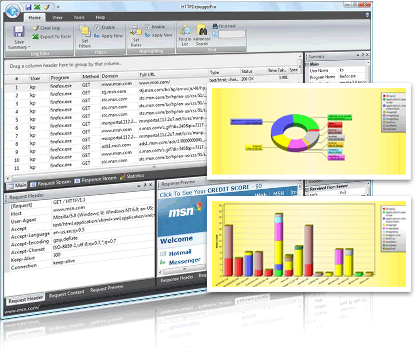
View and analyze all http headers sent by a web browser to the web server in http requests. get and analyze http headers of all received http responses from the web server. by analyzing http headers you can obtain a wide range of information. For example http request header contains; request mode (get, post, put, delete, etc), supported http version, accepted encodings, cookies and etc. The http response header contains; server platform name, content encoding and length, error codes and more.
Read more about http header viewer
View http header values
The http header values are transfered via the protocol by request and retrieve server functions.
It is extremely easy to view an http header. Just install the http debugger, run it then click on the 'debug program' and start intercepting http protocol and viewing http headers.
Download and analyze http header now!
|
|
Click to see screenshots.
The http header request
- GET / HTTP/1.1
- Host: www.httpdebugger.com
- Accept-Encoding: gzip,deflate
- Keep-Alive: 300
- Connection: keep-alive
The http header response
- HTTP/1.1 304 Not Modified
- Content-Location: http://www.httpdebugger.com/index.html
- Vary: Accept-Encoding
- Server: Microsoft-IIS/6.0
- X-Powered-By: ASP.NET 2.0
|
|