| |
Want a progrss in web programming?
Analyze http content!
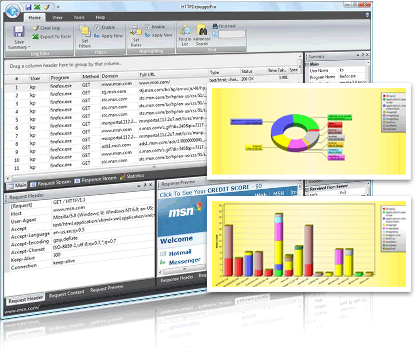
Click to see screenshots.
 Analyze http content Analyze http content
HTTP Content is everyting you submit or upload, your web browser sends these data in http content via protocol. When you open a page or download a file it comes to you in the HTTP Content. Many web servers encode the HTTP content using gzip compression.
By analyzing http content of sent http requests you can view submitted html form details, uploaded images and etc. By analyzing http content of received http responses you can view received html/xml web pages source, stylesheets, images.
Read more about http content analyzer
View http content
it is extremely easy to capture and view http content. just install the http debugger, run it then click on the 'debug program' and start intercepting http protocol and viewing http content.
Download and analyze http content now!
|
|
Click to see screenshots.
To view http content you need
- Microsoft Windows 2000/XP/Vista
- Pentium Class PC 300 MHZ +
- 10 MB Hard Drive Space
|
|